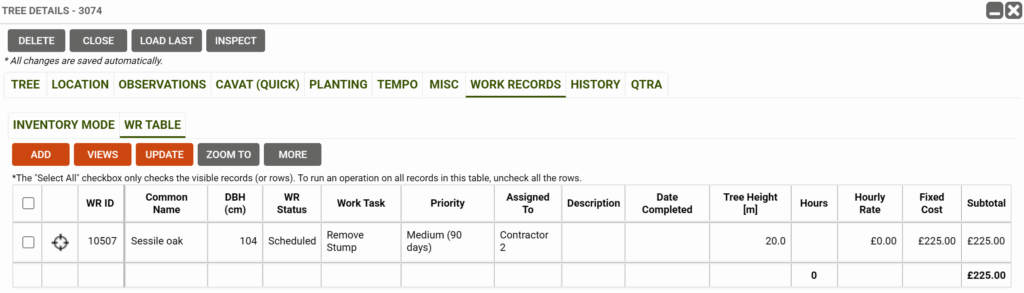
Do you use a Schedule of Rates (SOR) with multiple contractors, each with different prices for the same work? With TreePlotter™, your Work Task Costs table can be configured to record a different cost for each contractor, and even per height or DBH range. This document explains how this configuration looks in practice so you can decide whether it is a useful update for your organization.
This functionality is available free, upon request and assumes the Work Order Management add-on module has already been purchased.
Topics covered in this document:
- What you will receive
- What we will need
- How to use the new field
What you will receive:
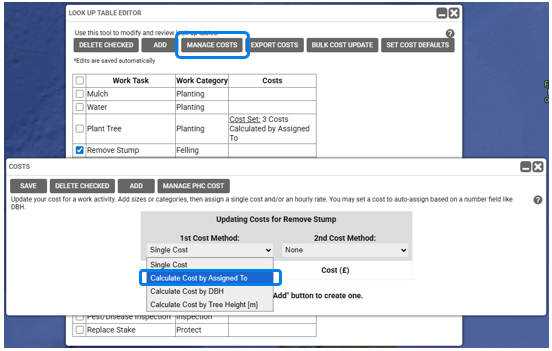
- New drop down value: ‘Calculate Cost by Assigned To’
- This option will be available in the 1st Cost Method, and 2nd Cost Method fields for Costs
- When a new Work Record is created, the cost will use the person or contractor in the Assigned To field (and height or DBH, if applicable) and pull through the appropriate cost.
What we will need:
- Simply let us know that you would like this configuration added to your application!
- Please contact TreePlotter Support here.
How to use the new field:
Use the Lookup Table Editor to add costs to the Work Tasks and record costs per contractor.
- Go to HUB > Data Tools > Lookup Table Editor > select Work Tasks
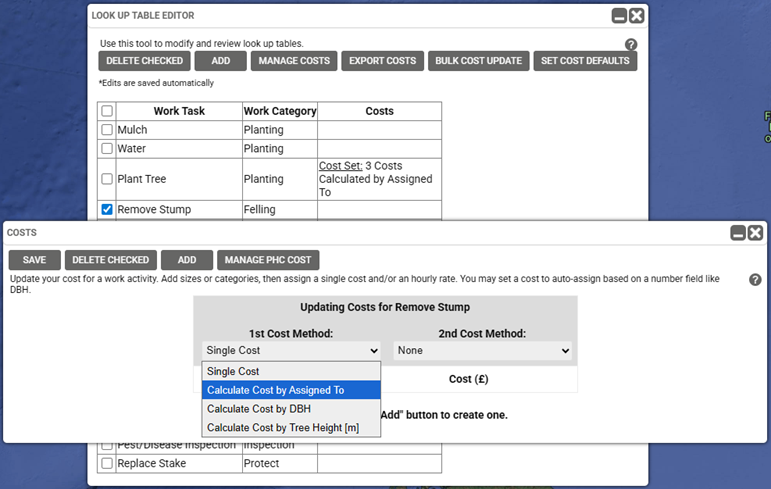
- Tick the box next to a work task and set the 1st Cost Method to ‘Calculate Cost by Assigned To’.
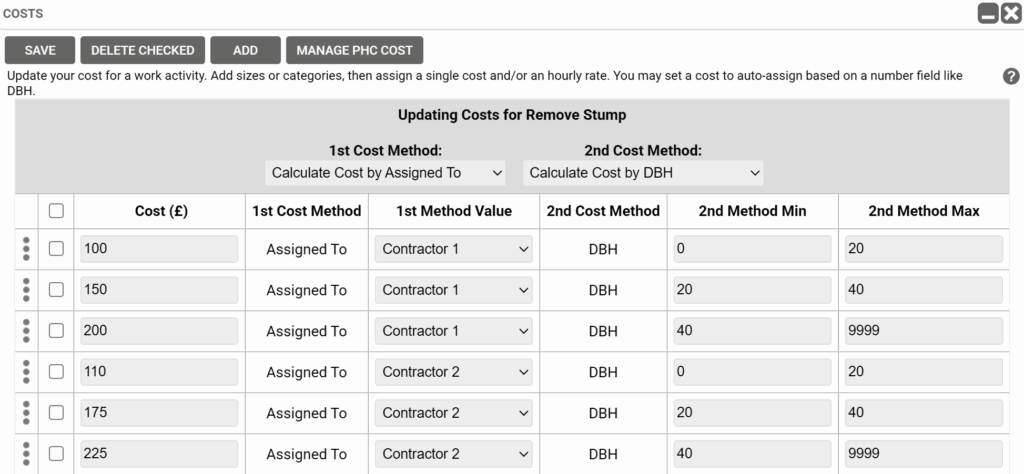
- Optionally, set a 2nd Cost Method if the cost also varies by tree height or DBH.
- Click the ADD button to create as many cost records as needed
- Enter the cost per contractor for the selected task (and per size range, if used)
- Click SAVE to apply your changes
On the Work Record, when you add in a new work record for one of the updated tasks, TreePlotter will look at the Assigned To field and pull through the corresponding cost into the Fixed Cost field, as well as the Subtotal field.